macOS latynka input, key layouts
- Ukrainian Latin alphabet
- ABC - Extended
- Installing custom keyboard layouts
- Ukrainian Latin keyboards bundle
- See also
Ukrainian Latin alphabet
The national standard of Ukrainian Latin DSTU 9112:2021 defines this alphabet for common use (so called “System A”):
a b c č d e f g ğ i ï j ĵ k l m n o p r s ŝ š t u v x y z ž
Notably,
č ğ ï ŝ š žare the additions with diacriticsh q ware missed, compared to basic Latinĵis not used in general writing'apostrophe, while not part of the alphabet, is still occasionally used
ABC - Extended
ABC Extended keyboard layout handles many diacritics, and is the easiest way to start typing in Ukrainian Latin.
Install
System Settings > Keyboard > Input Sources
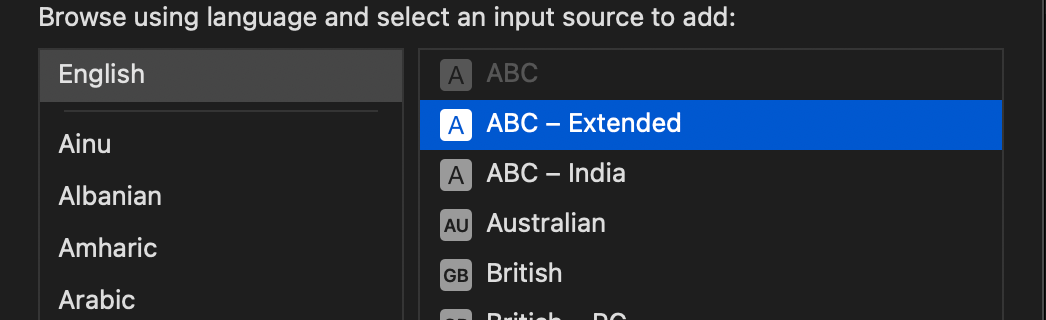
Option 1: use the accent menu
Press and hold a key to display the accent menu. The menu isn’t shown if a key doesn’t have any possible accent marks.
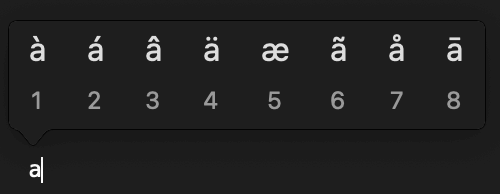
This works for č ï š ž, but not for ğ ŝ. See using dead keys below.
Enable the accent menu
You control whether the accent menu feature is enabled via command line.
Enabling the accent menu:
% defaults write -g ApplePressAndHoldEnabled -bool true
After this, reload the apps needed, or log out.
Option 2: use dead keys
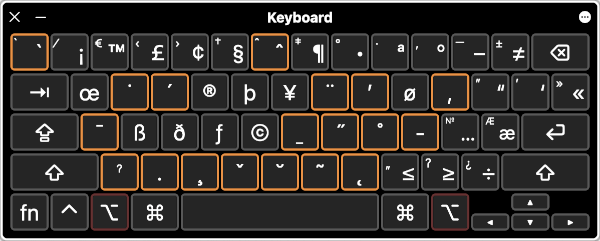
First press a dead key, then press the letter. The system will produce a single letter with diacritic.
For example, press Option-b, then type g

Key combinations for Ukrainian Latin:
| letter | combo |
|---|---|
| č | Option-v, c |
| ğ | Option-b, g |
| ï | Option-u, i |
| ĵ | Option-6, j |
| ŝ | Option-6, s |
| š | Option-v, s |
| ž | Option-v, z |
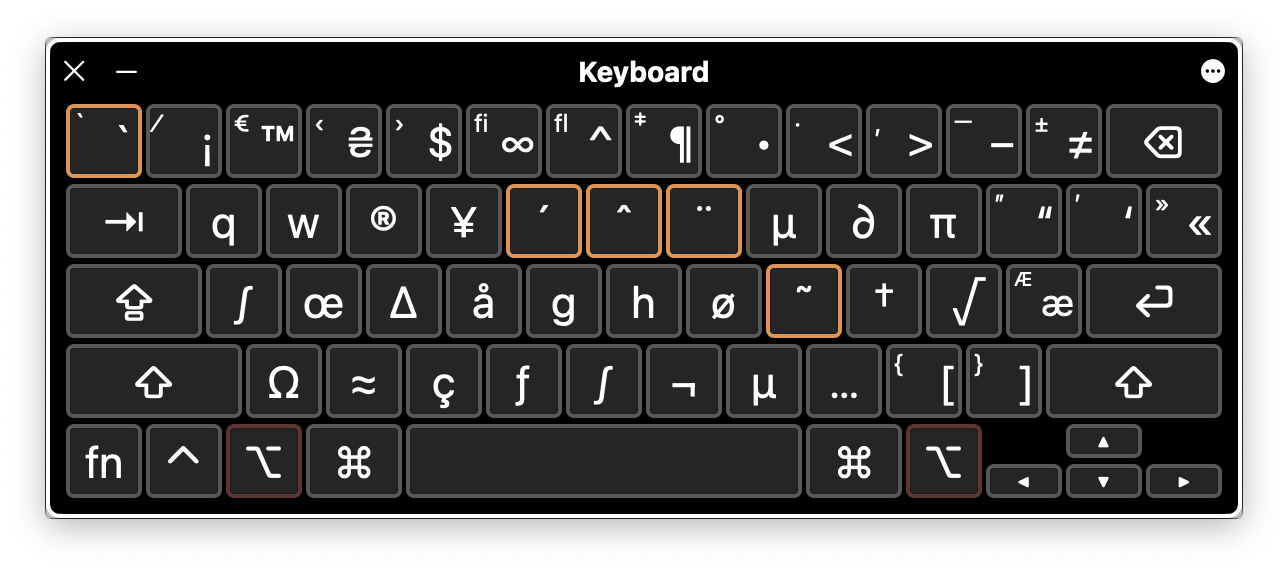
Check out other keys that start different diacritic combinations:
Installing custom keyboard layouts
In the sections below you will find custom keyboard layouts that need to be installed manually.
- Download the archive file, UkrainianLatinKeyboards.bundle.tar.gz
- Unpack the archive.
- Copy the unpacked
UkrainianLatinKeyboards.bundleinto folder:- for current user:
~/Library/Keyboard Layouts - system-wide:
/Library/Keyboard Layouts
- for current user:
- Log out, or restart the system (do not skip this step).
- Open
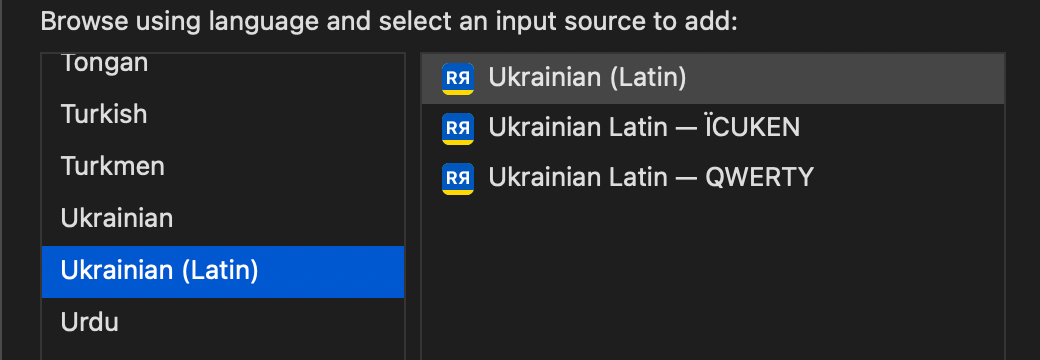
System Settings > Keyboard > Input Sources - Custom keyboard layouts will be listed under
Ukrainian (Latin)
Customizing keyboard layout
To modify a layout, you can edit your copy with a third-party tool or a text editor.
- Ukelele, Unicode keyboard layout editor
- To instal a layout from within Ukelele, open menu
File > Install
- To instal a layout from within Ukelele, open menu
- Technical: Installable Keyboard Layouts
Ukrainian Latin keyboards bundle
Download UkrainianLatinKeyboards.bundle.tar.gz
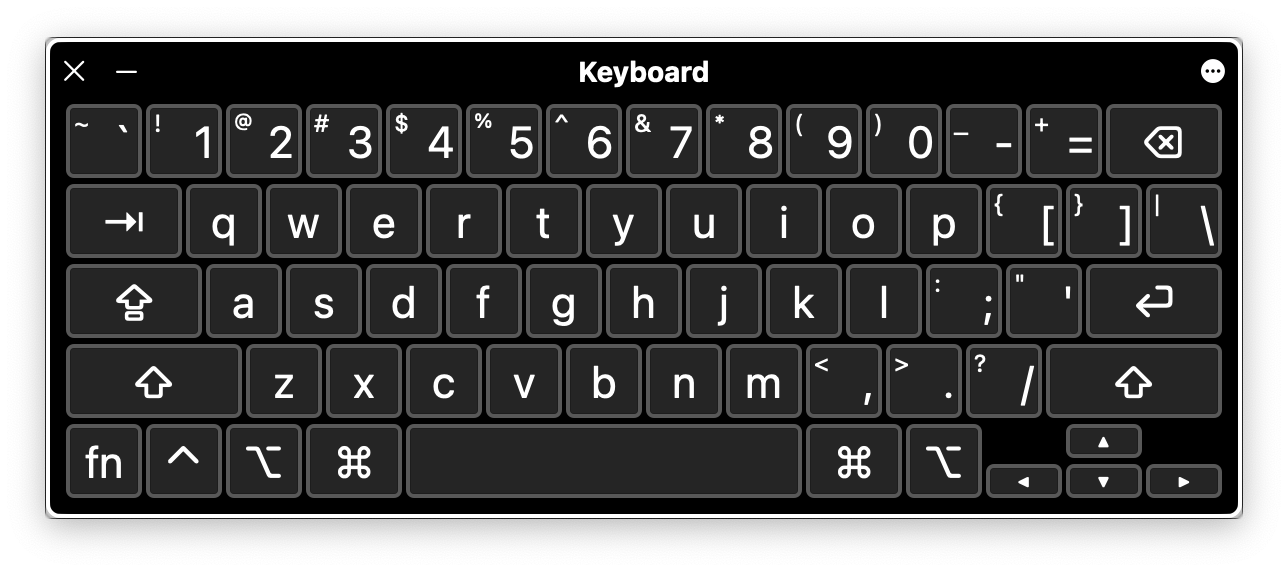
Ukrainian Latin - QWERTY
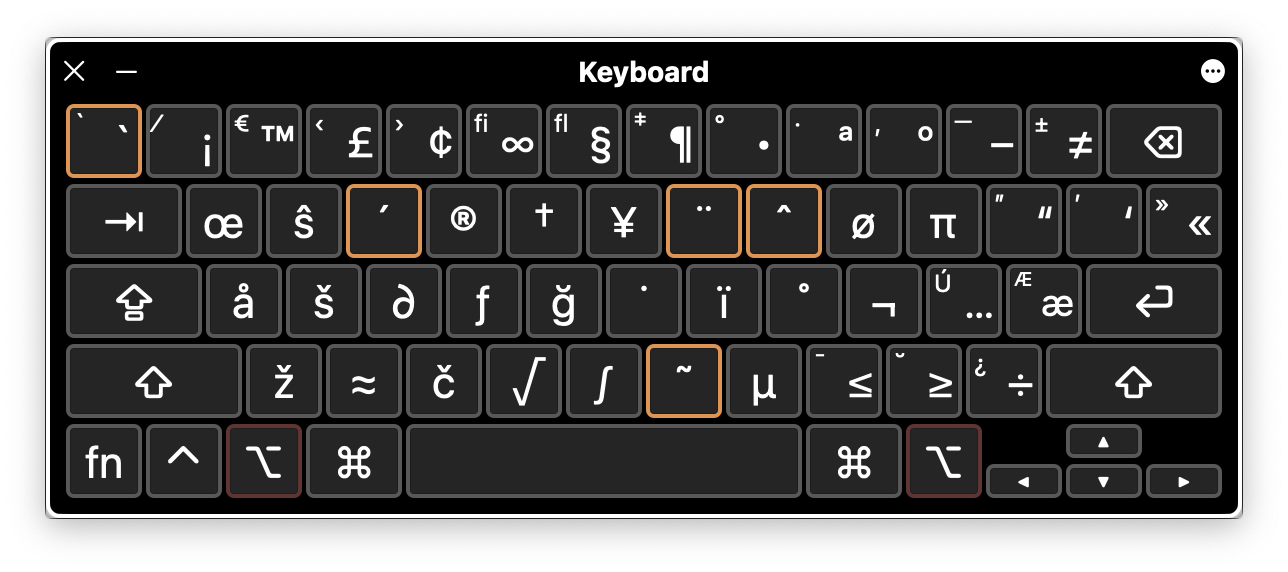
This is a basic QWERTY keyboard with additions for Ukrainian Latin under Option key.
Key combinations for Ukrainian Latin:
| letter | combo |
|---|---|
| č | Option-c |
| ğ | Option-g |
| ï | Option-j |
| ĵ | Option-i, j |
| ŝ | Option-w |
| š | Option-s |
| ž | Option-z |
Option plane:
Ukrainian Latin - ÏCUKEN
This layout stays close to Ukrainian Cyrillic layout.
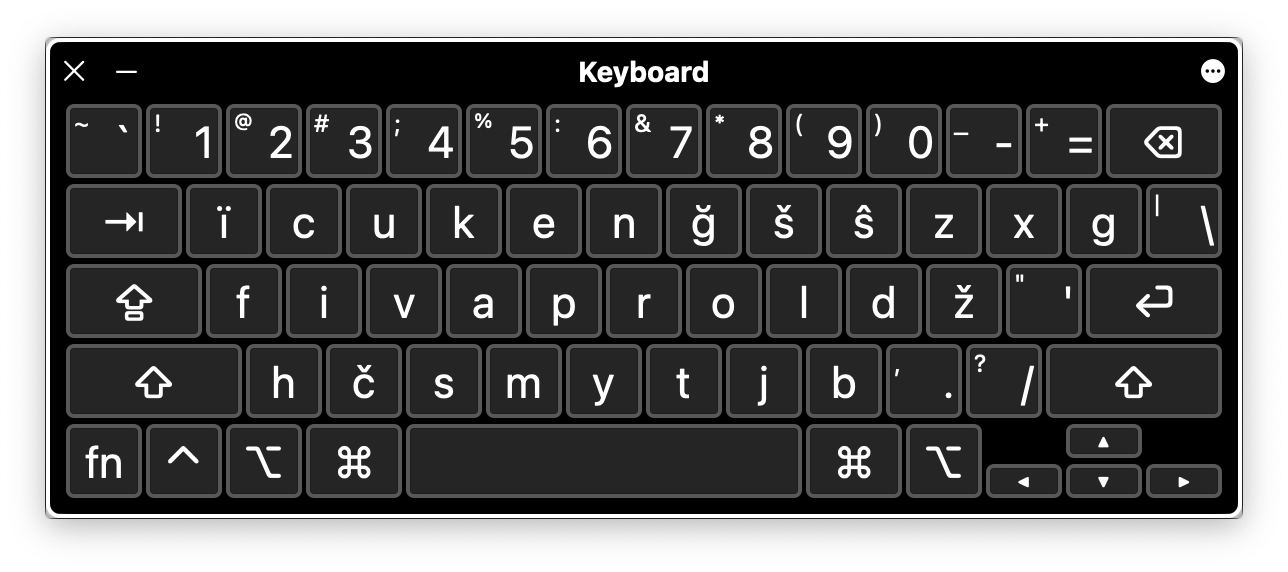
Option plane:
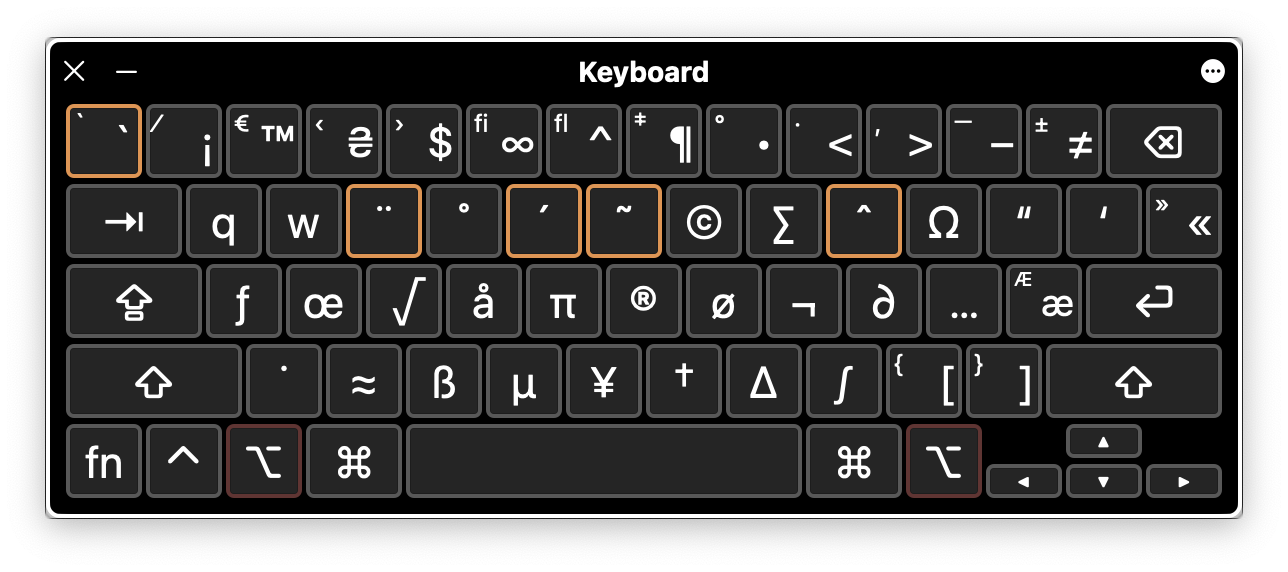
Ukrainian Latin - Original
This layout is designed specifically for Ukrainian Latin.
These letters from basic Latin need Option:
| letter | combo |
|---|---|
| g | Option-ğ |
| h | Option-k |
| q | Option-š |
| w | Option-s |

Option plane:
See also
- Read the Web in Ukrainian Latin, browser extension.